As an Amazon Associate, we earn from qualifying purchases. This doesn’t change our recommendations or the price you pay.
The best monitor stand depends on three things you can check before you buy: the VESA holes on the back of your screen, how much the screen weighs, and what kind of desk it sits on. A simple riser lifts a monitor a few inches with no tools. A clamp-on arm frees the whole desk surface and moves the screen in every direction, but it has to grip a sturdy desktop within a stated thickness. A freestanding base sits on top of the desk and skips the clamp.
We compared seven stands sold by Amazon.com or the brand’s own store: three single and dual clamp arms, one freestanding dual stand and three risers, including two dual-monitor shelves. For each, we quote the weight limit, screen size, VESA pattern, clamp range and height adjustment exactly as the listing gives them, and we say plainly when a listing leaves one out. Every pick landed in our lowest price tier, so this guide is about fit, not budget.
Our Top Monitor Stand Picks at a Glance
| Product | Key features | Price | Action |
|---|---|---|---|
 WALI Single Monitor Arm (GSMP001N)Best Overall Monitor Arm · Single clamp/grommet arm, 13–34 inBest for: Heavier single screens up to 26.4 lb |
|
$ | Buy Now →Check current price |
 Amazon Basics Dual Monitor Desk Mount (DS-MA-E02)Best Dual Monitor Arm · Dual clamp/grommet arm, up to 32 inBest for: Two screens side by side on one clamp |
|
$ | Buy Now →Check current price |
 NB SmooVex Monitor Arm (A5)Best Mechanical Spring Arm · Single clamp/grommet arm, up to 32 inBest for: A slim single arm without a gas spring |
|
$ | Buy Now →Check current price |
 VIVO STAND-V002F Freestanding Dual StandBest Freestanding Dual Stand · Freestanding dual stand, 13–27 inBest for: Two screens on desks you can’t clamp |
|
$ | Buy Now →Check current price |
 BONTEC Dual Monitor Stand RiserBest Dual Monitor Riser · Adjustable-length wood riser, 31.5–42.5 inBest for: Raising two screens with storage below |
|
$ | Buy Now →Check current price |
 WESTREE Dual Monitor Stand RiserBest Wood-and-Steel Storage Riser · Wood-and-steel desktop riser, fixed lengthBest for: A sturdy shelf for two screens or a printer |
|
$ | Buy Now →Check current price |
 Canyora Adjustable Monitor Riser, 2 PackBest Budget Monitor Riser · Metal riser, 3 heights, 2-packBest for: Two single risers with adjustable height |
|
$ | Buy Now →Check current price |
Price key: $ under $50 · $$ $50–$100 · $$$ $100–$175 · $$$$ $175+. Prices change often; check Amazon for today’s price.
1. WALI Single Monitor Arm (GSMP001N): Best Overall Monitor Arm
WALI’s GSMP001N is a single monitor arm that clamps to the back edge of a desk, or bolts through a grommet hole, and holds one screen in the air. Lifting the monitor off the desktop clears room underneath for a keyboard, notebook or docking station, and the arm lets you pull the screen closer, push it back, or swing it aside.
The listing says it fits most flat or curved screens up to 34 inches, with regular screens up to 32 inches. WALI gives two load limits: 26.4 pounds for flat screens and 19.8 pounds for curved ones. Your monitor needs 75x75mm or 100x100mm VESA holes, and WALI asks buyers to check the pattern, size and weight before ordering.
Day to day, the arm extends the screen out by 19.3 inches and raises it up to 17.3 inches above the desktop, per the listing. It swivels 180 degrees each way, tilts from +70 to -45 degrees and rotates 360 degrees for portrait use. WALI says the core has been tested through 20,000-plus cycles and that built-in cable management guides wires along the arm. Both mounting options fit desks 0.39 to 2.76 inches thick, and WALI recommends a wooden desk with no crossbeam underneath.
It suits a home office with one main monitor, particularly a larger or curved screen, on a solid wooden desk of ordinary thickness.
Why we like it
- Two stated load limits, flat and curved
- Long reach and height range
- Clamp or grommet mounting
Watch out for
The clamp range tops out at 2.76 inches, and WALI recommends wooden desks only, so measure and check your desktop material first.
Key Specifications
| Type | Single clamp/grommet arm, 13–34 in |
|---|---|
| Screen size | 13–34 in (regular screens up to 32 in) |
| Load limit | 26.4 lb flat / 19.8 lb curved |
| VESA | 75×75, 100×100 mm |
| Desk thickness | 0.39–2.76 in (clamp or grommet) |
| Size | Not stated in listing |
| Listed weight | 3.09 pounds |
| Warranty | 10 Year Warranty |
| Model | GSMP001N |
| Seller | Wali Electric |
| Best Sellers Rank | #3 in Monitor Arms (Oct 2026) |
Why We Recommend It
Load capacity is where WALI leads: the listing gives “max load capacity 26.4 lbs for flat screens and 19.8 lbs for curved screens,” the highest per-screen number on this page. Amazon Basics lists 22 pounds per arm and NB lists none.
Movement is generous too. WALI says it can “extend your screen out by 19.3″” and “raise the arm up to 17.3″ above the desktop,” with swivel of “+180°/-180°,” tilt of “+70°/-45°” and 360-degree rotation. “Built-in cable management guides wires along the arms,” something the Amazon Basics and NB bullets don’t mention.
The evidence fields are strong. It ranks #3 in Monitor Arms, the best arm rank here, and the warranty field reads “10 Year Warranty,” the longest on the page. WALI’s own store sells it, and the arm weighs a listed 3.09 pounds, the lightest product here with a stated weight. The size field is empty. The limit is the desk: both mounts fit “desks 0.39″–2.76″ thick,” narrower than the Amazon Basics’ 4.25 inches, and WALI says “We only recommend installing it on a wooden desk.”
One-monitor households with a wooden desk of normal thickness should start here. Owners of very thick, glass or metal desks should look at the Amazon Basics clamp range or the VIVO freestanding base instead.
Pros
- Highest stated load here: 26.4 lb flat, 19.8 lb curved
- Warranty field: “10 Year Warranty”
- #3 in Monitor Arms, best arm rank here
- Reach 19.3 in, height up to 17.3 in, per listing
- Built-in cable management
Cons
- Clamp and grommet fit desks only 0.39–2.76 in thick
- WALI recommends wooden desks only
- Single screen only
- Size field empty in specs
Best for: Anyone with one monitor, including a heavier or curved screen, who wants it off the desk and fully adjustable.
2. Amazon Basics Dual Monitor Desk Mount (DS-MA-E02): Best Dual Monitor Arm
Amazon Basics’ dual desk mount puts two monitors on two arms that share a single pole, clamped to the back of the desk or bolted through a grommet hole. Each arm has its own gas-spring tension, so you can set one screen higher, tilt one into portrait, or angle both toward you.
The title says it supports monitors up to 32 inches and 22 pounds per arm, with VESA 75x75mm and 100x100mm patterns. The listing is unusually frank about setup: each arm “requires individual tension adjustment based on monitor weight,” stability “varies depending on monitor size, weight distribution, and arm extension,” and the joints “may be pre-tightened” for shipping, so expect to adjust them before the screens hold their position.
Movement covers tilt from -45 to +90 degrees, swivel of 90 degrees each way and 360-degree rotation. The clamp and grommet options fit desks 0.39 to 4.25 inches thick, the widest range among our picks, and the listing tells you to pick the right screw length and use spacers if your monitor’s mounting holes sit deep. The specs list the mount at 36.25 by 3.75 by 17.1 inches and 7.8 pounds.
It suits anyone running two screens of similar size who wants the desk surface clear and has a solid desktop to clamp onto.
Why we like it
- Two screens on one clamp
- Fits thick desktops
- Separate tension per arm
Watch out for
Plan time to set tension on each arm, and note that the warranty field in the specs is empty.
Key Specifications
| Type | Dual clamp/grommet arm, up to 32 in |
|---|---|
| Screens | Two, up to 32 in |
| Load limit | 22 lb per arm |
| VESA | 75×75, 100×100 mm |
| Desk thickness | 0.39–4.25 in (clamp or grommet) |
| Size | 36.25 x 3.75 x 17.1 in |
| Listed weight | 7.8 pounds |
| Warranty | Not stated in listing |
| Model | DS-MA-E02; made by Amazon |
| Seller | Amazon.com |
| Best Sellers Rank | #9 in Monitor Arms (Oct 2026) |
Why We Recommend It
Two screens and a thick desk are the Amazon Basics mount’s territory. Its clamp and grommet fit “desks 0.39″–4.25″ thick,” the widest range listed here, and the title promises support for “up to 32 inch Monitors and 22 lbs per Arm.”
The listing reads more like a setup manual than a pitch. Each arm “requires individual tension adjustment based on monitor weight,” and “Larger or extended setups may require additional tension adjustment.” It warns that joints “may be pre-tightened and require adjustment before use.” That honesty is useful; budget an evening to dial it in.
Amazon.com sells it, and it ranks #9 in Monitor Arms, behind the WALI and NB singles. The specs give 36.25 x 3.75 x 17.1 inches and 7.8 pounds, the heaviest arm here, and the warranty field is empty. Tilt runs “-45° to +90°,” swivel “±90°,” with 360-degree rotation. Unlike WALI and VIVO, the bullets say nothing about cable management.
If you run two monitors up to 32 inches and want the desk clear, this is the clamp-on choice. If your desk can’t take a clamp, or your screens are 27 inches or smaller, the VIVO freestanding stand avoids the clamp entirely.
Pros
- Sold by Amazon.com
- 22 lb per arm, screens up to 32 in
- Widest clamp range here: desks 0.39–4.25 in
- Independent tension on each arm
- #9 in Monitor Arms
Cons
- Warranty field empty in specs
- Heaviest arm here at a listed 7.8 lb
- Listing warns joints may need adjusting before use
- No cable management mentioned in the bullets
Best for: A two-monitor setup on a thick or solid desk where both screens should float above the surface.
3. NB SmooVex Monitor Arm (A5): Best Mechanical Spring Arm
NB Ergonomic’s SmooVex A5 is a single monitor arm built around a mechanical spring rather than the gas cylinder most budget arms use. NB pitches that as an upgrade, claiming smoother movement, no gas leakage concern and less sagging over time. Those are the brand’s claims, not measured results.
The listing says it fits most flat and curved monitors up to 32 inches with VESA 75x75mm or 100x100mm holes, and NB describes the arm as slimmer to save desk space and reduce what it calls wall-blocking. Movement is listed as rotation of 90 degrees each way, tilt from -25 to 90 degrees, swivel adjustment and 230mm of height travel, which works out to about 9 inches by our math.
Setup is described as three steps, with both a C-clamp and a grommet mount in the box. What the bullets leave out matters: there’s no maximum screen weight and no range of desk thickness the clamp accepts. The specs list the arm itself at 5.51 pounds, and the warranty field reads “2 year.” The seller is NB ERGONOMIC’s own store.
It suits a single mid-size monitor on a standard desk, for a buyer who is willing to confirm the weight limit and clamp range before ordering. A quick message to the seller with your monitor’s weight settles the first question.
Why we like it
- Spring design without a gas cylinder
- Two-year warranty field
- Clamp and grommet included
Watch out for
Weight capacity and clamp range are missing from the bullets, so confirm both against your monitor and desk before you buy.
Key Specifications
| Type | Single clamp/grommet arm, up to 32 in |
|---|---|
| Screen size | Up to 32 in, flat or curved |
| Load limit | Not stated in listing bullets |
| VESA | 75×75, 100×100 mm |
| Height travel | 230 mm (about 9 in, by our math) |
| Size | Not stated in listing |
| Listed weight | 5.51 pounds |
| Warranty | 2 year |
| Model | A5-B; made by KUNSHAN HONGJIE ELECTRONICS CO., LTD |
| Seller | NB ERGONOMIC |
| Best Sellers Rank | #6 in Monitor Arms (Oct 2026) |
Why We Recommend It
Spring design is the selling point. NB calls it a “New-Generation Mechanical Spring … Upgraded from traditional gas spring arms,” claiming “No gas leakage concern and less sagging over time.” Those are brand claims; nothing on the listing quantifies them.
Fit details are thinner than on the other arms. The title says it “fits up to 32 Inch” with “VESA 75/100 mm,” and the bullets list “±90° rotation, -25° to 90° tilt, swivel adjustment, and 230mm height travel.” Missing: a maximum screen weight and a desk thickness range. WALI and Amazon Basics state both, so compare carefully before choosing this one.
The evidence is otherwise solid. It ranks #6 in Monitor Arms, between WALI (#3) and Amazon Basics (#9). The warranty field reads “2 year,” second only to WALI and VIVO here, and the specs list 5.51 pounds. The seller is NB ERGONOMIC, the brand’s own store, though the raw data names a separate manufacturer. Both a “C-clamp and grommet” are included.
Buyers with a lighter single monitor who like the idea of a spring arm can shortlist it after confirming the weight limit with NB. Anyone with a heavy or curved screen near the top of the range should pick the WALI, whose limits are on the page.
Pros
- Mechanical spring instead of gas spring, per NB
- Warranty field: “2 year”
- #6 in Monitor Arms
- C-clamp and grommet options included
- Flat and curved screens up to 32 in
Cons
- No maximum screen weight stated in the bullets
- Desk thickness range not stated
- Height travel listed only as 230 mm
- Size field empty in specs
Best for: Someone with a mid-size single monitor of known, modest weight who prefers a spring arm and wants to confirm limits with the seller first.
4. VIVO STAND-V002F Freestanding Dual Stand: Best Freestanding Dual Stand
VIVO’s STAND-V002F holds two monitors on a center pole that rises from a heavy base sitting on the desk. Nothing clamps or bolts to the desktop, which makes it the option for desks a clamp can’t grip, such as tops with a deep lip, a crossbeam or glass.
The listing says it holds two screens from 13 to 27 inches and “up to 22 lbs,” with 75x75mm or 100x100mm VESA holes. The base measures 13 by 10.5 inches, and VIVO says that size provides stability while the monitors stay within its center of gravity. Padding on the underside is meant to protect the desk from scratches.
In use, each arm offers tilt from +90 to -90 degrees, 180 degrees of swivel and 360 degrees of rotation, and the arms slide up and down the pole to set height. Detachable cable clips on the arms and pole route power and video cords. VIVO includes a plain warning worth following: don’t pull the monitors too far forward or backward unless the stand is bolted down, because that will cause stability issues, and check that the base fits your desk.
It suits a dual-screen setup with two monitors of 27 inches or less, on a desk you can’t or don’t want to clamp, and with room for the base.
Why we like it
- No clamp needed
- Cable clips included
- Three-year warranty field
Watch out for
Keep the screens close to the base, as VIVO advises, and measure your desk for the 13 x 10.5 inch footprint.
Key Specifications
| Type | Freestanding dual stand, 13–27 in |
|---|---|
| Screens | Two, 13–27 in |
| Load limit (listing) | “up to 22 lbs” |
| VESA | 75×75, 100×100 mm (max 100×100) |
| Base | 13 x 10.5 in, padded underside |
| Size | 17.5 x 11.4 x 3.8 in |
| Listed weight | 4.48 pounds |
| Warranty | 3 Year Warranty |
| Model | STAND-V002F |
| Seller | V I V O |
| Best Sellers Rank | #11 in Monitor Arms (Oct 2026) |
Why We Recommend It
No clamp is the whole point of VIVO’s STAND-V002F. It stands on a “Heavy Duty Extra Large Base” of “13″ x 10.5″,” so it works on desks that a clamp can’t grip, which neither dual alternative here can claim.
Screen fit is narrower than the Amazon Basics: “two screens 13” to 27”” versus up to 32 inches. The weight wording reads “up to 22 lbs,” without saying whether that is per screen, so check with VIVO if your monitors are heavy. VESA is “75x75mm or 100x100mm,” and “detachable cable clips on the arms and center pole” keep cords tidy.
Evidence fields are good. The warranty field reads “3 Year Warranty,” second only to WALI’s. VIVO’s own store sells it, it ranks #11 in Monitor Arms, and the specs list 17.5 x 11.4 x 3.8 inches and 4.48 pounds. VIVO adds a candid caution: “do not pull monitors too far forward or backward unless the stand is bolted down, as this will cause stability issues.”
Two-screen setups on glass tops, lipped desks or desks with a crossbeam fit this stand best. Anyone with 32-inch monitors, or who wants screens pulled well forward, should choose the clamped Amazon Basics.
Pros
- No clamp or drilling: sits on a 13 x 10.5 in base
- Warranty field: “3 Year Warranty”
- Detachable cable clips on arms and pole
- Padded base bottom to protect the desk
- Sold by VIVO’s own store
Cons
- Smallest screen range here: 13–27 in
- VIVO warns against pulling screens far forward or back unless bolted down
- Base takes desk space
- Height range along the pole not quantified
Best for: A two-monitor user whose desk has a lip, glass top or crossbeam that rules out a clamp.
5. BONTEC Dual Monitor Stand Riser: Best Dual Monitor Riser
BONTEC’s dual monitor riser is a long wooden shelf that sits on the desk and lifts two monitors on their own stands. Its adjustable length runs from 31.5 to 42.5 inches, so it can shrink for a smaller desk or stretch to take two wide screens.
The side sections swivel, and BONTEC says that supports straight, angled or corner layouts. That helps if you like your two screens angled in toward you, or if the desk wraps around a corner. Underneath, the listing describes three open compartments for a keyboard, mouse, files, notebooks, a docking station or office supplies.
Two small details help with daily tidiness: a phone stand slot and a cable management opening. Assembly is described as about two minutes with the included screws, and the listing mentions a non-slip base to protect the desk surface. What it doesn’t give is a weight capacity or the height the shelf raises your screens, so measure your monitors’ stands and your eye level before relying on it. The specs list it at 7.28 pounds.
It suits a two-monitor desk where both screens sit a bit low, and where an extra shelf for small gear would clear the desktop. The white finish on this version also suits a light-colored desk or a shared family workspace.
Why we like it
- Adjustable length
- Angled corner layouts
- Built-in storage cubbies
Watch out for
With no stated weight capacity or riser height, it’s best for ordinary office monitors rather than very heavy screens.
Key Specifications
| Type | Adjustable-length wood riser, 31.5–42.5 in |
|---|---|
| Length | 31.5–42.5 in, adjustable |
| Layout | Straight, angled or corner (swivel side shelves) |
| Storage | 3 open compartments, phone slot, cable opening |
| Listed weight | 7.28 lb |
| Size | Not stated in listing |
| Listed weight | 7.28 pounds |
| Warranty | Not stated in listing |
| Model | MTR-S3-WH-FBA |
| Seller | The BONTEC |
| Best Sellers Rank | #3 in Monitor Stands (Oct 2026) |
Why We Recommend It
Flexibility of length makes the BONTEC unusual among risers: it “adjusts from 31.5″ to 42.5″ to fit smaller or larger desks,” and the “swivel side shelves support straight, angled or corner layouts.” The WESTREE is a fixed 35.8 inches long.
Storage is built in. The listing describes “3 spacious open compartments,” plus a “phone stand slot and cable management opening.” Assembly is “about 2 minutes with included screws,” and a “non-slip base” protects the desk. The weak spots are missing numbers: no weight capacity and no stated riser height, where the Canyora gives both.
It ranks #3 in Monitor Stands, the best stand rank on this page, ahead of WESTREE (#5) and Canyora (#23). BONTEC’s own store sells it. The specs list 7.28 pounds, while the warranty and size fields are empty.
Two-monitor desks that need a modest lift and a tidier surface are the right match, especially L-shaped or corner desks. If your screens need several inches more height, or they’re heavy, look to an arm with a stated weight limit instead.
Pros
- Length adjusts from 31.5 to 42.5 in
- Swivel side shelves for straight, angled or corner layouts
- 3 open storage compartments
- Phone slot and cable opening
- #3 in Monitor Stands
Cons
- No weight capacity stated
- Riser height not stated
- Warranty and size fields empty in specs
- Fixed height; no VESA mounting
Best for: A two-monitor desk that needs both screens raised a little and wants an organizer shelf at the same time.
6. WESTREE Dual Monitor Stand Riser: Best Wood-and-Steel Storage Riser
WESTREE’s dual monitor riser is a long wood shelf on steel legs that sits on the desk and lifts two monitors a few inches. The rustic brown finish over a black frame is a look more than a feature, but it’s what sets this riser apart from plain black metal stands.
WESTREE describes the legs as thick solid steel and says the load-bearing capacity is very strong, though the listing gives no number. Anti-slip pads come with it, and you can choose whether to install them. The specs list it at 35.8 by 10.2 by 4.92 inches, which suggests about a 5-inch lift, and 9.02 pounds.
Under the shelf, the open space holds office supplies, and the brand lists other uses: a printer stand, laptop riser or small TV stand. Assembly uses pre-drilled holes, with tools, parts and instructions in the box, and WESTREE claims anyone can do it in two minutes. The listing frames the raise as an ergonomic aid to bring the screen to a comfortable sight level.
It suits a desk with two mid-size monitors that sit too low, or anyone who wants a riser sturdy enough to double as a printer shelf. Because it has no moving parts, there is nothing to adjust or tighten once it is built.
Why we like it
- Steel legs
- Room for supplies underneath
- Multi-use shelf
Watch out for
The listing gives no weight rating, so treat strength claims as the brand’s and keep heavy printers to modest models.
Key Specifications
| Type | Wood-and-steel desktop riser, fixed length |
|---|---|
| Listed size | 35.8 x 10.2 x 4.92 in |
| Materials | Wood board, solid steel legs |
| Uses (listing) | Monitors, printer, laptop, TV |
| Listed weight | 9.02 lb |
| Size | 35.8 x 10.2 x 4.92 in |
| Listed weight | 9.02 pounds |
| Warranty | Not stated in listing |
| Model | Not stated in listing |
| Seller | ALILY |
| Best Sellers Rank | #5 in Monitor Stands (Oct 2026) |
Why We Recommend It
Sturdiness is WESTREE’s pitch: “thick solid steel legs,” with a “bearing load” the brand calls “very strong.” The listing never puts a number on it, though, so that’s a claim rather than a rating. Canyora, by contrast, states 44 pounds.
Size is clear from the specs: 35.8 x 10.2 x 4.92 inches and 9.02 pounds, the heaviest riser here. That length takes two mid-size monitors, and the 4.92-inch height suggests roughly a 5-inch lift. WESTREE lists it as a “monitor stand riser, printer stand, laptop riser, or a TV stand,” with “Extra storage space underneath.” Anti-slip pads are included, and “you can choose whether to install.”
It ranks #5 in Monitor Stands, behind BONTEC (#3) and well ahead of Canyora (#23). The seller is ALILY, and the raw data confirms WESTREE as the manufacturer. Model and warranty fields are empty. Unlike the BONTEC, it doesn’t adjust in length or angle, and it has no cable opening.
Shoppers who want a solid-looking, fixed shelf for two monitors or a small printer will be happy here. Anyone who needs an angled corner layout should pick the BONTEC, and anyone who wants adjustable height should look at the Canyora.
Pros
- Thick solid steel legs, per WESTREE
- Listed 35.8 x 10.2 x 4.92 in
- Doubles as a printer or laptop stand
- Optional anti-slip pads
- #5 in Monitor Stands
Cons
- No weight capacity stated
- Heaviest riser here at a listed 9.02 lb
- Fixed height and length
- Model and warranty fields empty
Best for: A desk owner who wants a solid, rustic-looking shelf to raise two monitors and store supplies underneath.
7. Canyora Adjustable Monitor Riser, 2 Pack: Best Budget Monitor Riser
Canyora sells this metal monitor riser as a two-pack: two small shelves, each 14.6 by 9.3 inches, that lift a monitor, laptop or printer off the desk. Press the buttons on the legs to switch between three heights: 4.13, 4.92 or 5.7 inches.
The shelf is cold-rolled steel with a waterproof and anti-rust coating, according to the listing, and Canyora says it can load up to 44 pounds. Rubber pads underneath are meant to stop slipping and scratching. The platform has what Canyora calls precisely 150 heat dissipation holes, which the brand says help prevent laptops and desktops from overheating.
Assembly takes under 30 seconds, by Canyora’s account: the legs screw onto the platform without tools. You can stack the two shelves for more storage or use them separately, and the listing even suggests floor or kitchen use. The specs give no weight, size or warranty value, and the listing doesn’t mention cable routing.
It suits someone who wants to raise one monitor and one laptop to similar heights, or to split the pair between two desks in the house. Because the height changes with a press of the leg buttons, it also works for a shared desk where different people prefer different screen heights.
Why we like it
- Three height settings
- Two shelves for the price of one listing
- No tools to assemble
Watch out for
Each shelf is sized for one screen, so it isn’t a dual-monitor bridge, and the specs fields are mostly empty.
Key Specifications
| Type | Metal riser, 3 heights, 2-pack |
|---|---|
| Heights | 4.13 / 4.92 / 5.7 in |
| Platform | 14.6 x 9.3 in |
| Load (listing) | Up to 44 lb |
| Pack | 2 risers |
| Size | Not stated in listing |
| Listed weight | Not stated in listing |
| Warranty | Not stated in listing |
| Model | H-ZJ-004 |
| Seller | Canyora |
| Best Sellers Rank | #23 in Monitor Stands (Oct 2026) |
Why We Recommend It
Adjustable height at a small size is the Canyora’s case: “3 adjustable ergonomic height sets at 4.13″/4.92″/5.7″,” set by pressing buttons on the legs. Neither the BONTEC nor the WESTREE lists any height adjustment.
It also states a load: “can load up to 44 lbs,” on “cold-rolled steel with waterproof & anti-rust coating.” The platform measures “14.6″x9.3″,” with “precisely 150 heat dissipation holes,” which Canyora says prevent overheating. That claim is the brand’s. The two-pack means two separate shelves, and Canyora says “you can stack two monitor stand shelf together on desk to double the storage space.”
The evidence is the thinnest here. It ranks #23 in Monitor Stands, the weakest rank on the page, and the weight, size and warranty fields are all empty. Canyora’s own store sells it. Assembly is “under 30 seconds” with “no tools needed,” per the listing, and there’s no cable routing feature.
Buyers who want a cheap, adjustable lift for a single monitor plus a laptop, or for two desks, get the most from it. Anyone wanting one shelf to span two monitors should choose the BONTEC or WESTREE.
Pros
- Two risers in one pack
- 3 heights: 4.13, 4.92 or 5.7 in
- Stated load of 44 lb each riser
- Cold-rolled steel with anti-rust coating
- Tool-free assembly
Cons
- Weakest rank here: #23 in Monitor Stands
- Platform is 14.6 x 9.3 in, too small for many dual setups on one riser
- Weight, size and warranty fields empty in specs
- No cable management feature
Best for: A buyer who needs a quick, adjustable lift for a monitor and a laptop, or for two separate desks.
How We Chose the Best Monitor Stands
Every pick had to be in stock and sold by Amazon.com or the brand’s own store, with one model per brand. Then we compared what each listing actually states:
- Type: desktop riser, desk-clamp arm or freestanding base, and whether it holds one screen or two.
- Fit: screen size range, weight limit per screen and VESA pattern (75x75mm or 100x100mm).
- Desk fit: clamp or grommet thickness range, base footprint or riser length.
- Adjustment: height range, reach, tilt, swivel and rotation as listed.
- Extras and evidence: cable routing, storage, warranty field and Amazon sales rank.
Monitor Stand Buying Guide
Where the Screen Should End Up
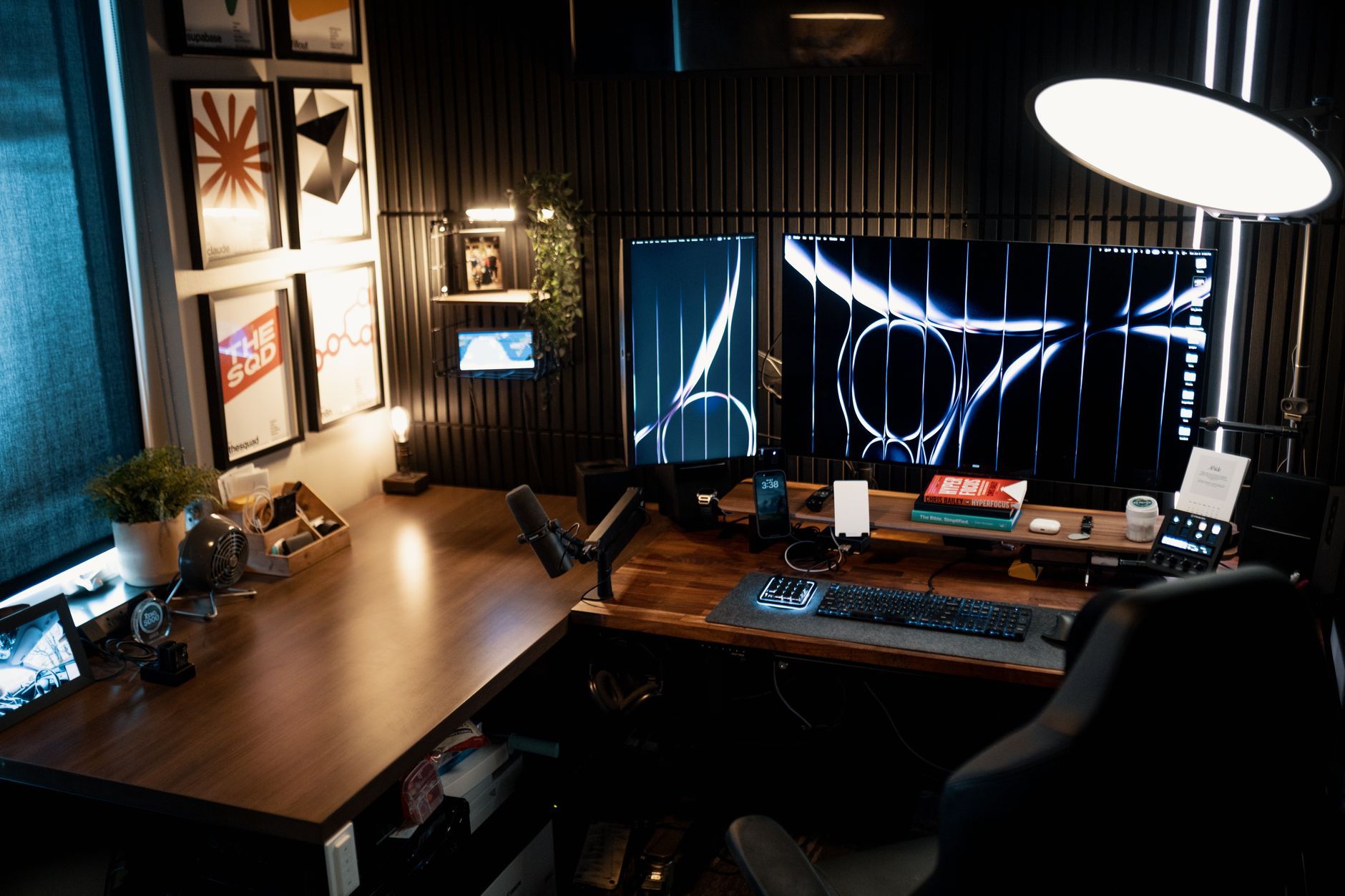
A stand only helps if it puts the screen in the right place. OSHA’s Computer Workstations eTool page on monitors says to put the monitor directly in front of you and at least 20 inches away, with the top line of the screen at or below eye level. It adds that the top of the monitor should be at or slightly below eye level, and that the preferred viewing distance is generally between 20 and 40 inches from the eye to the screen. Sit in your usual chair, measure your eye height, then pick the stand that can reach it. If your chair rolls on a hard floor or carpet while you adjust, our guide to the best chair mat covers that side of the desk.
Best Monitor Riser: Simple Lift, No Tools
A riser is a shelf that lifts a monitor that already has its own stand. The Canyora gives three heights (4.13, 4.92 or 5.7 inches) and a stated 44-pound load. The WESTREE and BONTEC risers are long enough for two monitors, but neither lists a weight capacity. Risers suit screens that are only a few inches too low; if yours needs a bigger lift, an arm is the better tool.

Best Monitor Arm and VESA Monitor Mount
Arms attach to the 75x75mm or 100x100mm VESA holes on the back of the monitor, which all four arm and freestanding picks here support. Check three numbers before you buy: the screen weight (WALI lists 26.4 pounds flat and 19.8 pounds curved; Amazon Basics lists 22 pounds per arm; NB doesn’t list one), the screen size, and the desk thickness the clamp accepts (0.39–2.76 inches for WALI, 0.39–4.25 inches for Amazon Basics). If your monitor has no VESA holes, a riser is the simpler choice.
Best Dual Monitor Stand: Clamp or Freestanding?
For two screens, the Amazon Basics mount clamps to the desk and frees the surface, while the VIVO STAND-V002F sits on a 13 x 10.5 inch base and needs no clamp. The VIVO covers screens from 13 to 27 inches; the Amazon Basics goes up to 32 inches. If you already own two monitors with stands, the BONTEC riser lifts both and adds storage, with swivel ends for an angled layout.

Best Monitor Stand With Drawer or Storage
None of our final picks has a closed drawer. The drawer-style risers we found came from brands or sellers outside our rules, so we left them out. For storage, the BONTEC has three open compartments and a phone slot, and the WESTREE and Canyora leave open space under the shelf. Pair a riser with a desk lamp placed to the side so light doesn’t bounce off the screen.
Cable Routing
Arms tidy cords along their own length: WALI lists built-in cable management, and VIVO includes detachable cable clips on the arms and pole. The Amazon Basics and NB listings don’t mention cable routing. For cords running down the back of the desk to a power strip, see our cable management guide.

Keep Arms and Screens From Tipping
A monitor arm is only as steady as the desk it grips. Clamp it to a solid desktop within the thickness range the listing states, tighten it as the instructions say, and stay under the weight limit for each arm. WALI and Amazon Basics both list grommet mounting as an alternative, and WALI recommends wooden desks without a crossbeam underneath. Freestanding stands need different care: VIVO warns not to pull the monitors too far forward or backward unless the stand is bolted down. On any stand, keep cords from hanging where a chair, child or pet can snag them, and don’t lean on an extended arm.

Frequently Asked Questions
What is the best monitor stand for most home offices?
For one screen, the WALI single monitor arm is our top pick. Its listing states a 26.4-pound limit for flat screens and 19.8 pounds for curved, it ranks #3 in Monitor Arms, and the warranty field reads “10 Year Warranty.” If you’d rather not clamp anything, a riser like the Canyora is simpler.
Is a monitor riser or a monitor arm better?
A riser is simpler: it sits on the desk and lifts a monitor a few inches on its own stand. An arm attaches to the VESA holes, clamps to the desk and gives far more height, reach and tilt. Choose an arm if your screen needs a big lift or you want the desk surface clear.
How high should my monitor be?
OSHA’s Computer Workstations eTool says the top of the monitor should be at or slightly below eye level, with the screen directly in front of you. It puts the preferred viewing distance generally between 20 and 40 inches from the eye to the screen.
What is the best dual monitor stand if my desk can’t take a clamp?
A freestanding stand like the VIVO STAND-V002F sits on a 13 x 10.5 inch base, so it needs no clamp. It fits two screens from 13 to 27 inches. VIVO warns against pulling the screens too far forward or backward unless the stand is bolted down.
How do I know if my monitor fits a VESA monitor mount?
Look for four screw holes on the back of the monitor and measure the spacing. Every arm and freestanding stand here accepts 75x75mm or 100x100mm patterns. Then check your monitor’s weight and size against the listing’s limits, and confirm your desk thickness fits the clamp range.
The Bottom Line
For a single screen, the WALI arm is the best monitor stand on our list, with the highest stated load and a 10-year warranty field. The Amazon Basics dual mount handles two screens and thick desks, the NB SmooVex offers a mechanical spring if you can confirm its limits, and the VIVO STAND-V002F carries two screens without a clamp. For a simple lift, the BONTEC and WESTREE risers take two monitors, and the Canyora two-pack raises one screen at a time. Whichever you choose, aim the top of the screen at or slightly below eye level.
Building out a home office or running a business from home? Ask your agent how your equipment fits your homeowners or renters policy. Call Jeff Smith’s State Farm office at (740) 354-7747 or get a free coverage review.
Keep reading
More kitchen gear guides
- Wave, Press or Pump Through the Sink Deck? Best Soap Dispenser Styles Compared

- Upright, Apart and Dry: Best Toothbrush Holder Options for Counters, Walls and Travel

- Weight Only or 50+ Metrics? Best Bathroom Scale Picks, Simple Digital to Body Composition
- Darks, Lights or Delicates? Best Laundry Sorter Options by Sections and Space

- Pilled Sweater or Fuzzy Couch? Best Fabric Shaver Picks by Blade and Battery

- Shelf Cart or Folding Wagon? Why the Best Utility Cart Depends on Where It Rolls

- Extra Room Out Back: Best Hitch Cargo Carrier Baskets by Size, Rails and Weight
- Working Load or Break Strength? Best Ratchet Straps and Cam Buckles for Hauling

- Slide, Lift or Roll It: Best Furniture Sliders and Dollies for Carpet and Hardwood