As an Amazon Associate, we earn from qualifying purchases. This doesn’t change our recommendations or the price you pay.
A desk lamp lights your keyboard, but it can also bounce off your screen. The best monitor light bar sits on top of the display and aims light down at the desk, so you get a lit work surface without a lamp base and, the brands say, without reflections on the screen.
We compared six lights that were in stock and sold by the brand’s own store or by a seller whose listing names the brand as manufacturer: four clip-on USB light bars, a curved-screen bar with an RGB backlight and a premium bar with a wireless dial. Because some monitors can’t hold a bar at all, we also added one clamp-on dual-head desk lamp as an alternative.
Glare, lux, lumen and eye-care statements below are the brands’ own words. We quote them, flag where a listing leaves out a clamp range, weight or warranty term, and point to OSHA and ophthalmologist guidance on screen glare rather than making health claims ourselves.
Our Top Monitor Light Bar Picks at a Glance
| Product | Key features | Price | Action |
|---|---|---|---|
 YEELIGHT Monitor Light Bar (YLYTD-0037)Best Overall · Clip-on USB light bar, metal bodyBest for: Stepless color and brightness at a low price |
|
$ | Buy Now →Check current price |
 SAMPHON 15.7-Inch Monitor Light Bar (SC04)Best Value Wide Bar · Clip-on USB light bar, 15.7 inBest for: Wide desk coverage on a budget |
|
$ | Buy Now →Check current price |
 BenQ ScreenBar Halo 2Best Premium with Wireless Dial · Clip-on light bar with backlight and wireless controllerBest for: Auto on/off, auto-brightness and a desk dial |
|
$$$$ | Buy Now →Check current price |
 Quntis ScreenLinear Curved RGB Light BarBest for Ultrawide Curved Monitors · Foldable dual light bar with RGB backlightBest for: Curved screens 34 in and up |
|
$$ | Buy Now →Check current price |
 Colorpanda 16.14-Inch Monitor Light Bar (FSKU002)Best Budget Touch-Control Bar · Clip-on USB light bar, 16.14 inBest for: A light, simple bar for thin to thick screens |
|
$ | Buy Now →Check current price |
 Motumen Dual-Head Clamp Desk Lamp (MTD2401)Best Clamp-On Alternative · Desk-clamp LED lamp, dual head, gooseneckBest for: Monitors that can’t hold a bar |
|
$ | Buy Now →Check current price |
Price key: $ under $50 · $$ $50–$100 · $$$ $100–$175 · $$$$ $175+. Prices change often; check Amazon for today’s price.
1. YEELIGHT Monitor Light Bar (YLYTD-0037): Best Overall
YEELIGHT’s Monitor Light Bar is a slim metal bar that clips onto the top edge of a monitor and points light down onto the desk in front of it. There’s no base and no arm, so the space a desk lamp would take stays free for a notebook or a mouse pad.
Day to day, you adjust it with touch controls on the bar. YEELIGHT says a long press changes brightness and color temperature steplessly, from a warm 2700K to a cool 6500K, so you can dial in a softer light for evening work or a crisper one for spreadsheets. It runs on USB power through a 1.5-meter cable, which means you can plug it into a monitor or computer port or a USB wall adapter.
The listing’s key claims are an RG0 rating for blue light, which YEELIGHT calls the highest standard for blue light safety, a Ra95 color rendering index from 78 LED beads, and a 250-lumen output in the title. It also describes a full-metal body that conducts heat and stays cool in long sessions, and a retractable clip that fits monitors from 0.3 to 1.1 inches thick, flat or curved. Those are the brand’s figures, not measurements of ours.
It suits people with a thin modern monitor who want a tidy, adjustable work light at a modest price and are happy controlling it from the bar itself.
Why we like it
- Stepless warm-to-cool range
- Metal body
- No desk footprint
Watch out for
The clip is listed for monitors only 0.3 to 1.1 inches thick, so measure the top edge of a thicker or older display first.
Key Specifications
| Type | Clip-on USB light bar, metal body |
|---|---|
| Color temperature | 2700K–6500K, stepless (listing) |
| Clip fit | Monitors 0.3–1.1 in thick, flat and curved |
| Power | USB, 1.5 m cable |
| Listed size / weight | 2.64 x 17.6 x 3.07 in / 1.1 lb |
| Size | 2.64 x 17.6 x 3.07 in |
| Listed weight | 1.1 pounds |
| Warranty | 1 year. |
| Model | YLYTD-0037 |
| Seller | Yeelight Global |
| Best Sellers Rank | #9,097 overall; #5 in USB Lamps (Oct 2026) |
Why We Recommend It
Fine control at a budget price is the case for YEELIGHT. Its listing promises “stepless dimming and color temperature adjustment ranging from 2700K to 6500K,” the widest warm end shared only with the BenQ and Colorpanda, and the BenQ costs several times as much.
The spec claims are strong but brand-sourced: “an RG0 rating,” “Ra95,” “78 high-quality LED beads” and 250LM in the title. The body is “premium full-metal,” and the listed 1.1 pounds and 2.64 x 17.6 x 3.07 inches make it the second-lightest stated weight here. Power is “USB with a 1.5m cable.”
Yeelight Global, the brand’s store, sells it, and the warranty field reads “1 year.” It ranks #5 in USB Lamps and #9,097 overall. The gap is fit: the clip “adapts to monitors from 0.3″ to 1.1″ thick,” the narrowest stated range here, against Colorpanda’s 0.12 to 2.2 inches and the Quntis’s 3.35 inches. It also has no remote or auto-dimming.
Owners of slim flat or curved monitors who want stepless control should start here. Anyone with a thick or older monitor, or who wants the light to adjust itself, should look at the BenQ or Quntis.
Pros
- Stepless color temperature, 2700K to 6500K, per listing
- Brand states Ra95 CRI and 78 LED beads
- Full-metal body, per YEELIGHT
- Warranty field: “1 year.”
- #5 in USB Lamps, #9,097 overall
Cons
- Narrowest stated clip range here: 0.3 to 1.1 in thick
- RG0 and eye-care claims are the brand’s
- No remote or auto-dimming
- 250LM is the brand’s figure
Best for: Someone with a slim flat or curved monitor who wants fine control over warmth and brightness without paying for a remote.
2. SAMPHON 15.7-Inch Monitor Light Bar (SC04): Best Value Wide Bar
SAMPHON’s SC04 is a 15.7-inch clip-on bar aimed at people who want to light a wider stretch of desk. It rests on the monitor with a counterweight clip and casts light forward and down over the keyboard area.
Control is deliberately simple. A mechanical switch on the right end does everything: a short press turns the light on or off and cycles through three color temperatures, while a long press adjusts brightness steplessly. SAMPHON says a memory function recalls your last setting, so it comes back the way you left it. Power comes over USB from a computer, adapter or power bank.
The brand claims 900 lux of central brightness across a 35 by 25 inch area and describes a patented 45-degree asymmetric design that lights the desk and keyboard rather than your eyes or the screen. You can twist the bar to change the angle. SAMPHON says the patented counterweight clip installs without tools and fits most monitors, thin to thick and flat to curved, though the listing gives no thickness range in inches. If your monitor has a webcam on top, plan where each will sit before you order.
It suits students, gamers and home workers on a budget who have a wide desk or ultrawide monitor and want more coverage than a short bar, without needing a remote.
Why we like it
- Wide 15.7-inch bar
- One-button control
- Remembers last setting
Watch out for
The listing gives no weight and no clip thickness range, so check the fit on an unusually thick or angled monitor.
Key Specifications
| Type | Clip-on USB light bar, 15.7 in |
|---|---|
| Length | 15.7 in (title) |
| Color temperature | 3 settings, 3000K–6500K (listing) |
| Brand brightness claim | 900 lux center, 35 x 25 in area |
| Listed size | 15.75 x 0.78 x 3.3 in |
| Size | 15.75 x 0.78 x 3.3 in |
| Listed weight | Not stated in listing |
| Warranty | 1 year. |
| Model | SC04 |
| Seller | samphon led lights |
| Best Sellers Rank | #2 in USB Lamps (Oct 2026) |
Why We Recommend It
Coverage per dollar sets the SAMPHON apart. The bar is 15.7 inches, and SAMPHON claims it “delivers 900 lux central brightness across a 35″×25″ area.” Its #2 spot in USB Lamps is the best category rank on this page, just ahead of the BenQ at #3.
Control is a single “mechanical switch on the right side”: short press for on/off and color temperature, long press for stepless brightness, with memory. The title lists “3 Color Temperatures” and the bullets give “3000K-6500K,” so it can’t go as warm as the 2700K picks. The “patented 45° asymmetric lighting” is SAMPHON’s claim.
SAMPHON’s own store sells it, and the warranty field reads “1 year.” The weight field is empty and the listing gives no clip thickness range, only that it fits “most monitors, from thin to thick, flat to curved.” Listed size is 15.75 x 0.78 x 3.3 inches. Colorpanda and YEELIGHT both state a range, so they are easier to check against your monitor.
Wide desks, ultrawide screens and tight budgets are its sweet spot. If you need a confirmed clip range or a warmer 2700K setting, the Colorpanda is the safer budget bet.
Pros
- #2 in USB Lamps, the best category rank here
- Brand claims 900 lux center over a 35 x 25 in area
- Stepless brightness with memory
- Warranty field: “1 year.”
- Sold by SAMPHON’s own store
Cons
- Weight field empty
- No stated clip thickness range
- Only 3 color temperatures, per title
- One mechanical button handles every function
Best for: A budget shopper with a wide desk or ultrawide screen who wants simple, button-only control.
3. BenQ ScreenBar Halo 2: Best Premium with Wireless Dial
The ScreenBar Halo 2 is BenQ’s top monitor light: a front light that lights the desk, a backlight that glows behind the monitor, and a separate wireless dial that sits on the desk so you never reach up to the bar.
In daily use, the listing says it turns on and off with your monitor, adjusts brightness to the ambient light, and remembers your last settings in a “My Favorite” mode. The dial controls brightness, color temperature and modes, and BenQ says its built-in display shows precise values for fine-tuning. Color temperature runs from 2700K to 6500K with stepless brightness. The backlight, BenQ says, reduces the contrast between a bright screen and a dark room.
BenQ calls its front-light optics ASYM-Light, with an 18-degree anti-glare angle meant to light the desk without reflecting on the screen or shining into your eyes. The clamp fits monitors 0.17 to 2.36 inches thick and curves from 1000R to 1800R. Other brand claims include a CRI above 95, flicker-free and blue-light-hazard-free LEDs, testing to ensure it doesn’t affect color calibration work, and a tested LED lifespan of over 50,000 hours.
It suits photographers, designers, coders and anyone at a screen for long days who wants the most automatic light here and a controller within reach.
Why we like it
- Desk dial with readout
- Switches on with the monitor
- Backlight for dark rooms
Watch out for
It costs several times more than the budget bars here, and the listing bullets don’t say how it is powered.
Key Specifications
| Type | Clip-on light bar with backlight and wireless controller |
|---|---|
| Color temperature | 2700K–6500K, stepless brightness (listing) |
| Controls | Wireless dial with display; auto on/off; ambient auto-dimming |
| Clamp fit | 0.17–2.36 in thick; 1000R–1800R curved |
| Listed size / weight | 5.6 x 19.7 x 4.3 in / 1.76 lb |
| Size | 5.6 x 19.7 x 4.3 in |
| Listed weight | 1.76 pounds |
| Warranty | 1 year. |
| Model | ScreenBar Halo 2 |
| Seller | BenQ INFTY Lab |
| Best Sellers Rank | #2,705 overall; #3 in USB Lamps (Oct 2026) |
Why We Recommend It
Automation is what the extra money buys. BenQ says the Halo 2 “automatically turns on/off with your monitor, adjusts brightness with ambient light, and remembers your last used settings.” Only the Quntis also lists auto-brightness, and neither it nor any other pick lists switching with the monitor.
Control comes from “the intuitive wireless dial,” with “a built-in display showing precise values.” The Motumen has a remote, but no other bar here has a desk controller with a readout. The front light uses “an 18° anti-glare angle,” the backlight is “wide and adjustable,” and BenQ claims “CRI > 95” and a “tested lifespan of over 50,000 hours.” Those are brand figures.
BenQ INFTY Lab, BenQ’s store, sells it. It ranks #2,705 overall, the best overall rank on the page, and #3 in USB Lamps. The clamp fits “0.17″ – 2.36″” thick and “1000R – 1800R” curves; the Quntis goes deeper. Listed weight is 1.76 pounds at 5.6 x 19.7 x 4.3 inches. The warranty field reads “1 year.”, no longer than the budget bars, and the bullets don’t state the power source.
Long-day screen workers, photographers and designers who want a self-adjusting light will get the most from it. Budget shoppers and anyone on a 1000R-or-tighter ultrawide should look elsewhere.
Pros
- Wireless dial with a display showing exact values
- Auto on/off with the monitor; ambient auto-brightness, per BenQ
- Backlight plus front light
- Clamp fits 0.17–2.36 in thick, 1000R–1800R curves
- Best overall rank here: #2,705; #3 in USB Lamps
Cons
- Most expensive pick by far
- Listing bullets don’t state the power source
- Curve range stops at 1000R
- Warranty field: “1 year.”, same as cheaper bars
Best for: A heavy computer user who wants the light to switch and adjust itself and is willing to pay a premium for a desk-top controller.
4. Quntis ScreenLinear Curved RGB Light Bar: Best for Ultrawide Curved Monitors
Quntis built its ScreenLinear Curved RGB bar for monitors a normal straight bar struggles with. It extends to as much as 26 inches and, the brand says, contours to curved monitors over 34 inches with curvatures from 800R to 3000R, as well as large flat screens.
The design is a foldable dual light. The front light offers stepless brightness and color temperature from 3000K to 6500K plus four preset brightness levels, and a light sensor adjusts output to the room automatically. Behind the monitor, 15 RGB backlight modes add colored light for gaming or movies. Quntis says a power-off memory restores your last settings, and a right-angle USB-C cable keeps the connection tidy.
Brand claims include up to 1400 lux at the center and 500 lux across a wider area, IEC/TR 62778 RG0 blue-light certification, a 45-degree asymmetric optical design that aims light at the desk rather than your eyes or screen, and a Ra98 CRI. The reinforced three-section clamp with a silicone anti-slip pad is said to fit screens up to 3.35 inches thick and irregular monitor backs.
It suits gamers and multi-window workers on big curved screens who want light that follows the curve and don’t mind a heavier, bulkier bar. On a standard flat monitor, much of what it offers would go unused.
Why we like it
- Follows deep curves
- Auto-adjusting front light
- RGB backlight modes
Watch out for
The warranty and model fields are empty, and the seller is a reseller rather than a Quntis store, so keep your order details.
Key Specifications
| Type | Foldable dual light bar with RGB backlight |
|---|---|
| Length | Extends up to 26 in (listing) |
| Fit | 34 in+ curved monitors, 800R–3000R; up to 3.35 in thick |
| Color temperature | 3000K–6500K stepless, 4 preset brightness levels |
| Listed size / weight | 17.3 x 5.5 x 4 in / 2.69 lb |
| Size | 17.3 x 5.5 x 4 in |
| Listed weight | 2.69 pounds |
| Warranty | Not stated in listing |
| Model | Not stated in listing |
| Seller | ALPINE US |
| Best Sellers Rank | #4,759 overall; #32 in Desk Lamps (Oct 2026) |
Why We Recommend It
Big curved screens are the reason to choose the Quntis. It “extends up to 26″” and is “designed for curved monitors over 34″ with 800R to 3000R curvature,” the widest curvature range on the page, and its clamps take screens “up to 3.35″” thick, the most stated here.
It also has the most features of any bar under the BenQ’s price: a “foldable dual light bar,” stepless 3000K to 6500K, “4 preset brightness levels,” “15 RGB backlight modes” and “a precision light sensor” for auto-brightness. Quntis claims “up to 1400 lux at the center,” “IEC/TR 62778 anti-blue light certification(RG0)” and “RA98 CRI.” Those are the brand’s numbers.
The seller is ALPINE US, a reseller; the manufacturer field reads Quntis, which is why it qualified. Warranty and model fields are empty. It ranks #4,759 overall and #32 in Desk Lamps. At a listed 2.69 pounds and 17.3 x 5.5 x 4 inches, it is the heaviest stated weight here, so check that your monitor’s top edge and stand feel solid.
Owners of 34-inch-plus curved monitors and gamers who want a backlight should pick it. On a standard 24- or 27-inch flat screen, a lighter bar like the YEELIGHT does the job for less.
Pros
- Extends up to 26 in for 34 in+ curved monitors, per Quntis
- Fits 800R–3000R curves and screens up to 3.35 in thick
- Brand claims up to 1400 lux center
- Light sensor auto-adjusts brightness
- 15 RGB backlight modes
Cons
- Heaviest stated weight here: 2.69 lb
- Warranty and model fields empty
- Sold by ALPINE US, a reseller (manufacturer field: Quntis)
- Built for big screens, overkill on a 24-inch monitor
Best for: Someone with a large curved or ultrawide monitor whose screen a straight bar can’t follow.
5. Colorpanda 16.14-Inch Monitor Light Bar (FSKU002): Best Budget Touch-Control Bar
Colorpanda’s 16.14-inch bar is a straightforward clip-on light with a metallic finish and a short list of settings. A counterweight holds it on top of the monitor, and the title lists 250 lumens and USB power.
Using it is a matter of touch buttons. You get three color temperatures, 2700K, 4000K and 6500K, and three brightness levels, and a built-in memory saves your last setting so you don’t start over each morning. There’s no stepless dimming, which keeps things simple but limits fine-tuning. In practice, most people settle on one warm setting for evening and one cool setting for daytime work, and three steps cover that. Because it weighs under a pound, it also adds very little load to the top of a monitor or a monitor arm.
Colorpanda says the bar uses asymmetric optics and an anti-blue-light design to avoid screen glare, and claims it can reduce the fatigue of long computer sessions. The patented clip is listed for screens 0.12 to 2.2 inches thick and installs without tools. The brand also mentions a long lifespan and says its support team will answer concerns within 12 hours.
It suits students, budget home offices and anyone who wants a light, inexpensive bar that fits a broad range of monitor thicknesses and doesn’t need a remote or sensor. It is also small enough to move between a home desk and a second setup.
Why we like it
- Light and compact
- Wide clip range
- Very warm 2700K option
Watch out for
Three fixed brightness steps may feel coarse if you like to fine-tune your light.
Key Specifications
| Type | Clip-on USB light bar, 16.14 in |
|---|---|
| Length | 16.14 in (title) |
| Color temperature | 2700K / 4000K / 6500K, 3 brightness levels |
| Clip fit | Screens 0.12–2.2 in thick |
| Listed size / weight | 0.9 x 16.14 x 0.9 in / 0.88 lb |
| Size | 0.9 x 16.14 x 0.9 in |
| Listed weight | 0.88 pounds |
| Warranty | 1 year. |
| Model | FSKU002 |
| Seller | colorpanda |
| Best Sellers Rank | #15,512 overall; #112 in Desk Lamps (Oct 2026) |
Why We Recommend It
Light weight and a wide clip range make the Colorpanda an easy fit. It weighs a listed 0.88 pounds, the lightest stated weight here, and the clip suits “screen thicknesses from 0.12” to 2.2”,” a broader range than YEELIGHT’s.
Settings are basic: “3 color temperatures & brightness levels (2700-4000-6500K), adjustable via touch buttons,” with “built-in memory.” That 2700K warm end matches the YEELIGHT and BenQ, but there’s no stepless dimming, remote or sensor. Glare and fatigue claims are attributed to its “asymmetric optical and Anti-Blue Light design.” The title lists 250LM.
The brand’s store, colorpanda, sells it, and the warranty field reads “1 year.” Its rank is the weakest on the page at #15,512 overall and #112 in Desk Lamps. The listing states 0.9 x 16.14 x 0.9 inches. Colorpanda also says support “will also address your concerns within 12 hours.”
Budget buyers who want a simple bar that fits most monitors will be well served. Anyone who wants to fine-tune brightness should spend a little more on the YEELIGHT or SAMPHON.
Pros
- Lightest stated weight here: 0.88 lb
- Clip range 0.12–2.2 in, per listing
- Warmest setting: 2700K
- Touch buttons with memory
- Warranty field: “1 year.”
Cons
- Only 3 color temperatures and 3 brightness levels
- Weakest rank here: #15,512 overall
- Anti-blue-light and fatigue claims are the brand’s
- No auto-dimming or remote
Best for: A shopper who wants an inexpensive, lightweight bar with a wide clip range and only a few settings to fuss with.
6. Motumen Dual-Head Clamp Desk Lamp (MTD2401): Best Clamp-On Alternative
Motumen’s MTD2401 is not a light bar. It is a clamp-on LED desk lamp with two heads on a flexible gooseneck, and we include it for desks where a monitor simply can’t carry a bar: very thin bezels, a webcam that has to sit on top, or a monitor arm with an awkward back.
The clamp fixes to the edge of the desk, and the gooseneck lets you position the dual heads over your work area. Motumen lists five color temperatures from 3000K to 6500K and five brightness levels from 20% to 100%, with a memory function that keeps your last setting. You can adjust it with on-lamp buttons or a remote that Motumen says works up to 32.8 feet away, and a one-hour timer turns it off automatically.
The brand describes 168 LED beads and calls the light soft and flicker-free. Those are listing claims. Because the heads are fully adjustable, glare control is up to you: aim them at the desk, not the screen. Before buying, check that your desk edge has room for the clamp and isn’t blocked by a drawer, cable tray or keyboard tray underneath.
It suits people who want broad task lighting across a wide desk and value a remote and timer more than the low profile of a bar.
Why we like it
- Remote and timer
- Two adjustable heads
- Works with any monitor
Watch out for
It takes a desk-edge clamp spot, and the bullets don’t say how it is powered, so check the plug before you set up.
Key Specifications
| Type | Desk-clamp LED lamp, dual head, gooseneck |
|---|---|
| Type | Desk clamp, dual head, flexible gooseneck |
| Color / brightness | 5 color temps 3000K–6500K; 5 levels 20%–100% |
| Controls | Remote (32.8 ft range per listing), buttons, 1-hour timer |
| Listed size / weight | 22 x 4.5 x 29.5 in / 1.65 lb |
| Size | 22 x 4.5 x 29.5 in |
| Listed weight | 1.65 pounds |
| Warranty | 1 year manufacturer. |
| Model | MTD2401 |
| Seller | Motumen |
| Best Sellers Rank | #3,575 overall; #23 in Desk Lamps (Oct 2026) |
Why We Recommend It
Flexibility is the Motumen’s job on this list. It is a desk-clamp lamp, not a light bar, so it works where a monitor can’t carry a clip: thin bezels, a webcam on top or an odd monitor back. The “dual-head design” and “adjustable goose-neck” let you place light anywhere on the desk.
The listing gives “5 color temperatures (3000K-6500K) and 5 brightness levels (20%-100%),” a “remote (up to 32.8 ft/10 m range),” on-lamp buttons and a “1-hour timer function.” Only the BenQ also offers off-bar control, through its dial. Motumen says it has “168 light beads”; the brightness and flicker-free claims are the brand’s.
Motumen’s own store sells it, and the warranty field reads “1 year manufacturer.” It ranks #3,575 overall and #23 in Desk Lamps. Listed weight is 1.65 pounds, and the 22 x 4.5 x 29.5 inch dimensions reflect its reach. The bullets don’t state the power source. Because the heads aim anywhere, it doesn’t have the built-in screen glare control the bars claim.
Pick it if your monitor can’t hold a bar or you want a remote and timer. If your screen takes a clip, one of the bars keeps light off the screen more simply.
Pros
- Remote with a stated 32.8 ft range, plus on-lamp buttons
- Dual heads, 168 LED beads, per listing
- 1-hour auto-off timer
- Warranty field: “1 year manufacturer.”
- #3,575 overall; #23 in Desk Lamps
Cons
- Not a monitor light bar: clamps to the desk
- Power source not stated in the bullets
- Gooseneck can be aimed at the screen by mistake
- No auto-dimming
Best for: Someone whose monitor has a thin bezel, a webcam on top or an odd back that won’t hold a clip-on bar.
How We Chose the Best Monitor Light Bars
We kept only lights that were in stock and sold by the brand’s own store, or by a seller whose listing names the brand as the manufacturer. We took one per brand, then compared what each listing states:
- Glare control: how the brand says the optics keep light off the screen (asymmetric or angled beams).
- Color temperature and brightness: the Kelvin range, stepless or fixed steps, and any lux or lumen claim.
- Monitor fit: clamp thickness range and curved-screen support.
- Controls: buttons, touch, remote or wireless dial, auto-dimming and memory.
- Power, warranty and rank: USB type, the warranty field and Amazon sales rank.
OSHA’s Computer Workstations eTool page on the workstation environment frames the goal. It says that if lighting is excessive or causes glare on the monitor screen, you may develop eyestrain or headaches, and it recommends supplemental task lighting to illuminate writing and reading tasks while limiting brightness around monitors.
Monitor Light Bar Buying Guide
Best Monitor Light Bar for Eye Strain
No light bar is a medical device, and the eye-care claims on these listings are the brands’. What the guidance does support is cutting glare and balancing light. OSHA advises positioning task lighting so it does not reflect on the screen and avoiding high contrast between the screen and surrounding areas. The American Academy of Ophthalmology’s page on computers, digital devices and eye strain notes that if your screen glows brighter than your surroundings, your eyes have to work harder, and it also recommends blinking, looking away from the screen now and then, and sitting about 25 inches from the screen. A light bar can help with the lighting part; the habits are up to you.
Best Monitor Light Bar for Curved Monitors
Check two numbers: clamp thickness and curvature. The Quntis Curved RGB is the specialist, listed for 34-inch-plus curved monitors from 800R to 3000R and screens up to 3.35 inches thick. The BenQ Halo 2 lists 1000R to 1800R. YEELIGHT and SAMPHON say they fit curved screens but give no curvature range, and YEELIGHT’s clip is listed for monitors only 0.3 to 1.1 inches thick.
Best Monitor Lamp Controls: Buttons, Touch or Remote
Budget bars put controls on the bar: SAMPHON uses one mechanical button, and Colorpanda and YEELIGHT use touch controls. The BenQ Halo 2 adds a wireless desk dial with a readout, and the Motumen clamp lamp comes with a remote. Auto-dimming from an ambient light sensor is listed on the BenQ and the Quntis only.
Best Screen Light Bar Color Temperature
Lower Kelvin numbers look warmer; higher ones look cooler. YEELIGHT, BenQ and Colorpanda go down to 2700K, while SAMPHON, Quntis and Motumen start at 3000K. All six top out at 6500K. Stepless adjustment (YEELIGHT, BenQ, Quntis) lets you pick any point in between; Colorpanda offers three fixed settings.
Best USB Monitor Light Power Options
YEELIGHT, SAMPHON and Colorpanda list USB power, and the Quntis ships with a right-angle USB-C cable. A monitor’s USB port is the tidiest choice, though a bar powered from a computer may switch off when the computer sleeps. The BenQ and Motumen bullets don’t state the power source, so check the product page or manual.
Light Bar or Desk Lamp?
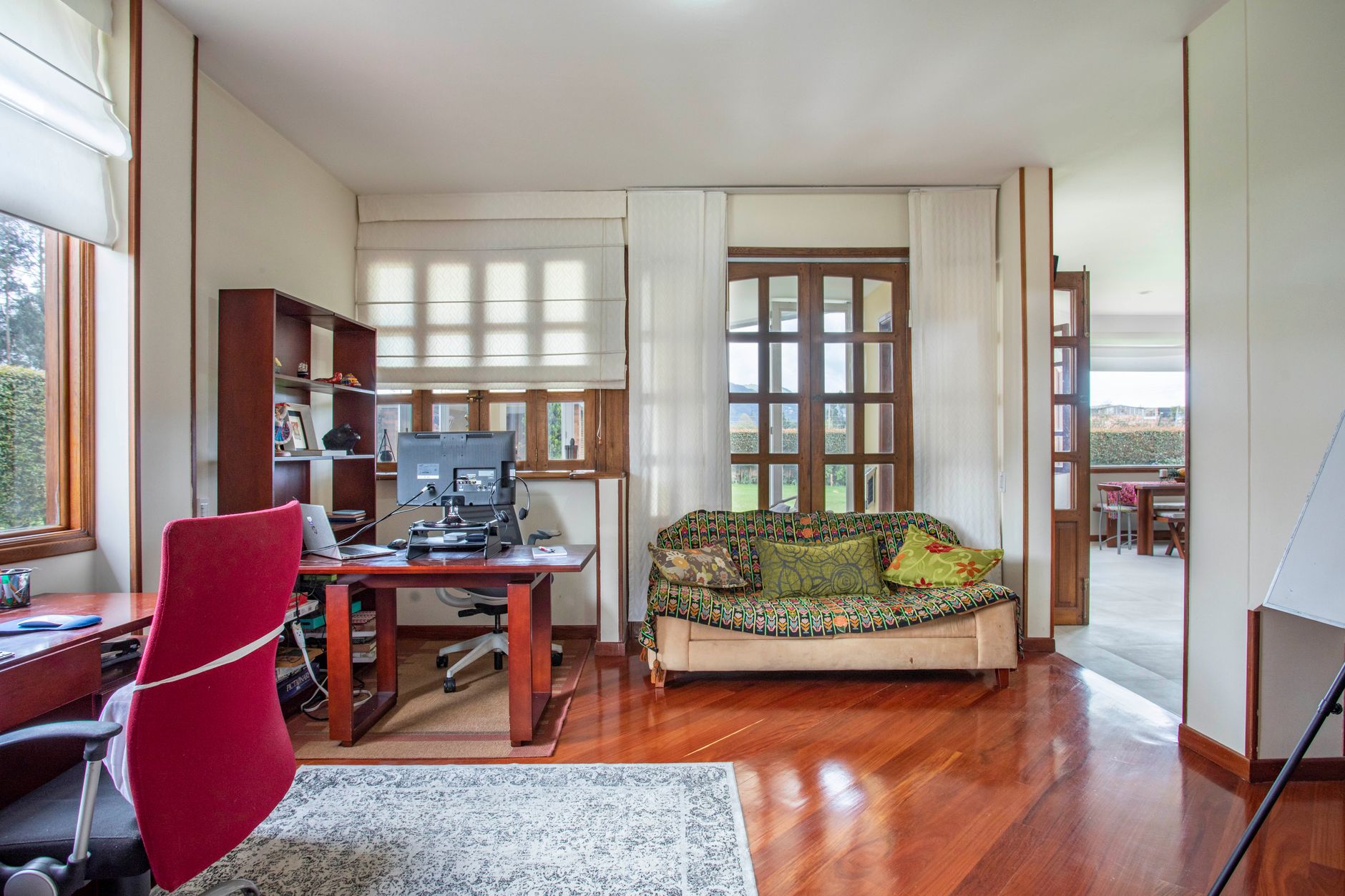
A light bar saves desk space and is designed to keep light off the screen, but it lights a fixed strip in front of the monitor. A desk lamp can reach a drawing board or a second work area. Our best desk lamp guide covers swing-arm and clamp lamps. If your monitor sits on an arm or riser, make sure the bar’s clip fits the top edge; our best monitor stand picks cover arms and risers, and the best office chair guide helps you set the seat height that the whole setup depends on.
Cords, Power Strips and Desk Electrical Safety
A light bar draws little power, but home offices tend to collect chargers, monitors and power strips. The U.S. Fire Administration’s appliance and electrical fire safety page advises not overloading outlets or power strips, using power strips with internal overload protection, replacing worn or damaged cords and keeping cords out from under rugs. Route the bar’s USB cable behind the monitor so it can’t snag on a chair, and stop using any cable that is cracked or frayed.
Frequently Asked Questions
What is the best monitor light bar for most people?
The YEELIGHT Monitor Light Bar is our top pick for most desks. Its listing offers stepless 2700K to 6500K color temperature, a stated Ra95 CRI, a metal body, USB power and a one-year warranty field, at a budget price. Check that your monitor is 0.3 to 1.1 inches thick at the top.
Do monitor light bars help with eye strain?
They can help with lighting, which OSHA and the AAO both link to eye strain: OSHA says glare on the screen can cause eyestrain or headaches, and the AAO says a screen brighter than its surroundings makes your eyes work harder. Health claims on the listings are the brands’ own.
Which monitor light bar works with a curved monitor?
The Quntis Curved RGB is built for 34-inch-plus curved monitors from 800R to 3000R and extends to 26 inches, per its listing. The BenQ Halo 2 fits 1000R to 1800R curves. YEELIGHT and SAMPHON say they fit curved screens but give no curvature range.
Can I power a monitor light bar from USB?
Most can. YEELIGHT, SAMPHON and Colorpanda list USB power, and the Quntis uses a USB-C cable. A monitor or computer USB port works, as does a USB wall adapter. The BenQ Halo 2 and Motumen bullets don’t state the power source.
Is a monitor lamp better than a desk lamp?
It depends on your desk. A monitor lamp saves space and is designed to keep light off the screen. A desk lamp, like the Motumen clamp lamp here, can be aimed anywhere, which helps on wide desks or when a monitor can’t hold a bar.
The Bottom Line
For most desks, the YEELIGHT bar is the best monitor light bar to start with: stepless warm-to-cool light, a metal body and USB power at a budget price, as long as your monitor is slim. The SAMPHON SC04 covers a wider desk for less, the Colorpanda is the lightest and simplest, and the Quntis Curved RGB follows big curved screens. If you want the light to run itself, the BenQ ScreenBar Halo 2 adds auto on/off, auto-brightness and a desk dial. And if your monitor can’t hold a bar, the Motumen clamp lamp lights the desk from the side.
Questions about how your policy treats home-office equipment? Ask your agent, read our Ohio homeowners insurance guide, call Jeff Smith’s State Farm office at (740) 354-7747 or request a free coverage review.
Keep reading
More kitchen gear guides
- From Flat-Pack Furniture to Bike Bolts: Best Allen Wrench Set Picks by Key Style
- Slots, Hooks or a Drawer: Best Mail Organizer Choices for the Wall or Countertop

- Never Chase a Dropped Bolt Again: Best Magnetic Parts Tray Sets for Car and Bench Work
- What Belongs in the Best Pliers Set? Needle-Nose, Linesman and Groove-Joint Kits
- Open-End, Box-End or Ratcheting: Best Wrench Set Options From 16 to 44 Pieces

- Cowhide for Hauling, Nitrile for Oily Parts: Best Work Gloves Matched to the Job

- Auto-Rewind, Hand-Crank or Bare Spool: Best Extension Cord Reel by Gauge and Reach

- Torpedo, Light-Up or Laser-Line: Which Best Level Fits Shelves, Frames and Pipe Runs
- Wall, Desk or Fridge? Your Best Whiteboard Depends on Where You Write